MCPBox
A self-extending MCP platform where LLMs create their own tools.
MCPBox lets AI create, test, and manage its own MCP tools — write Python code, register it as a permanent tool, and use it in future conversations. You stay in as much control as you want, optionally approving individual tools, libraries, and egress domains.
See It in Action
You: Is Claude having issues right now?
LLM: I don’t have a tool for that yet — let me build one.
1. mcpbox_create_server   → "news" server created
2. mcpbox_create_tool     → claude_status tool (Python: fetch Anthropic status page)
3. mcpbox_request_publish → submitted for admin approval
Admin approves the tool in the web UI.
4. mcpbox_test_code       → test passes, returns JSON
5. mcpbox_start_server    → server is live
6. claude_status          → calls the tool it just built
LLM: All Anthropic systems are operational. API, Console, and claude.ai are all up.
The tool now exists permanently. Next time anyone asks about Claude’s status, the LLM just calls claude_status directly — no rebuilding needed.
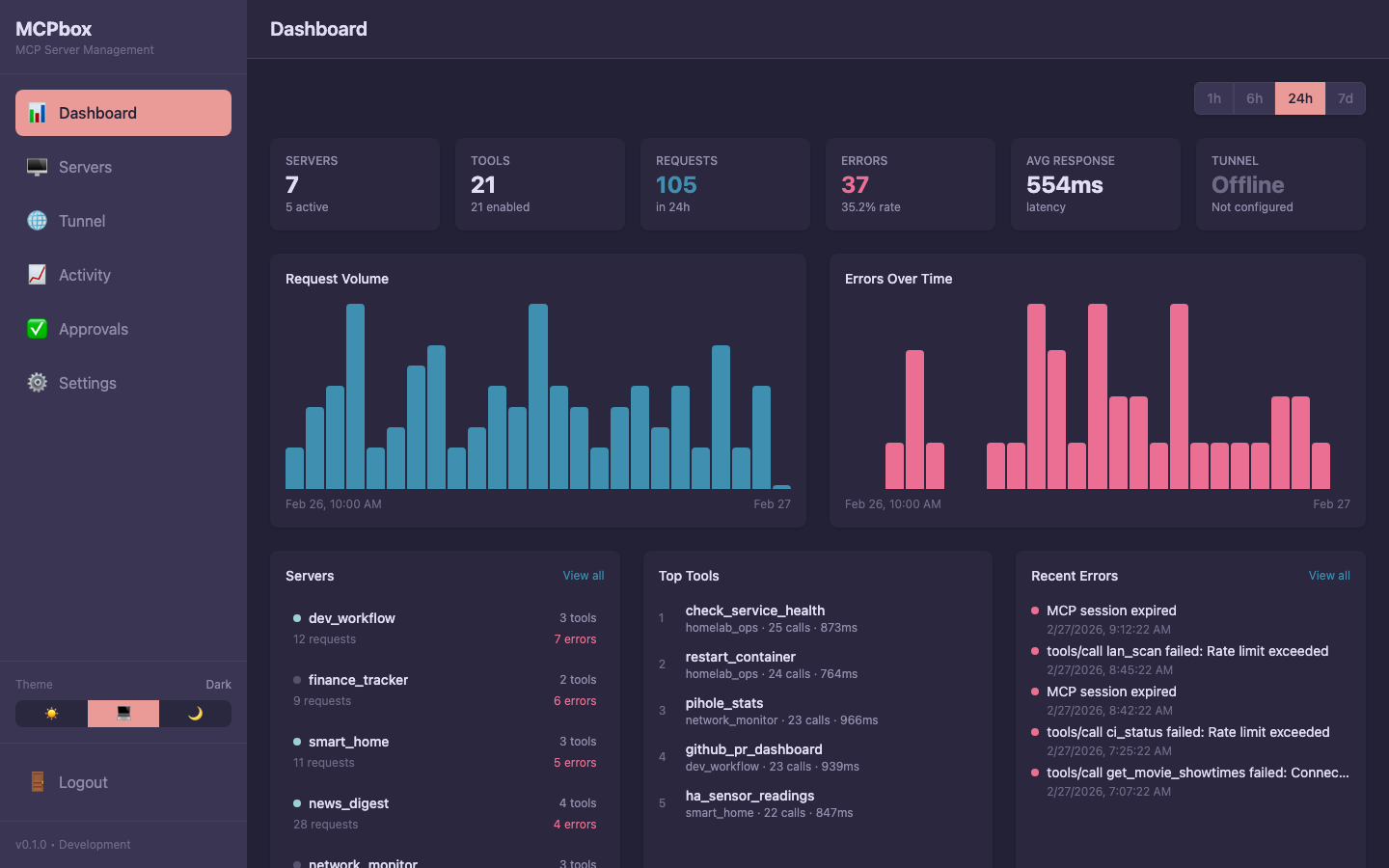 The MCPBox dashboard showing servers, tools, request volume, and system health.
Key Features
- LLM as Toolmaker — The LLM writes Python code via MCP tools, and that code becomes a permanent, reusable tool
- Human-in-the-Loop — Tools are created in draft status; admins review and approve before publishing
- Sandboxed Execution — Hardened sandbox with restricted builtins, import whitelisting, and SSRF prevention
- Self-Hosted — Single
docker compose up, no Kubernetes required - Remote Access — Optional Cloudflare Worker + tunnel integration for any remote MCP client
Architecture
┌──────────────────────────────────────────────────────────────────┐
│                     MCPbox (Docker Compose)                       │
│                                                                   │
│  LOCAL ONLY (127.0.0.1)           PRIVATE TUNNEL                  │
│  ┌──────────┐  ┌──────────┐     ┌──────────────┐                │
│  │ Frontend │  │ Backend  │     │ MCP Gateway  │◄── cloudflared  │
│  │ (React)  │◄─┤ (FastAPI)│     │ (FastAPI)    │                 │
│  │ :3000    │  │ :8000    │     │ :8002        │                 │
│  └──────────┘  └────┬─────┘     └──────┬───────┘                │
│                     │                  │                          │
│                     └──────┬───────────┘                         │
│                            ▼                                      │
│              ┌──────────────────────────┐  ┌────────────┐        │
│              │   Shared Sandbox :8001   │  │ PostgreSQL │        │
│              └──────────────────────────┘  │  :5432     │        │
│                                            └────────────┘        │
└──────────────────────────────────────────────────────────────────┘
                             │ Workers VPC (private)
                             ▼
                  ┌──────────────────────────┐
                  │ Cloudflare Worker         │
                  │ (OAuth 2.1 + OIDC)       │
                  └──────────┬───────────────┘
                             ▼
                    ┌───────────────┐
                    │  MCP Clients  │
                    └───────────────┘
Two modes: Local (no auth, MCP client connects to localhost:8000/mcp) and Remote (OAuth 2.1 + OIDC via Cloudflare Worker).